Credits and plans
7 min read
Making a video uses credits. Accounts with a verified email can make 1 video a month for free without a plan (Economy tier, with a watermark), and a video on the Recommended tier is about 10 credits. You see the exact amount before you start.
Step 1
Four kinds of credits
Plan credits arrive every month and expire at the end of the billing period. Voucher credits last 365 days from the day you redeem the code. Top-up credits never expire.
Free credits arrive every calendar month (UTC) for accounts without a plan, enough for one Economy-tier video, and expire at the end of that month. They work only for Economy "Make it for me" and tag-guided scripts, and they are removed when you subscribe. You get them once a month per email address (Gmail addresses that differ only in dots or a +tag count as one).
Videos use the credits that expire first: plan, then voucher, then top-up. Free credits are used only when those don't cover the video, so a video you can pay for with voucher or top-up credits has no watermark.
Step 2
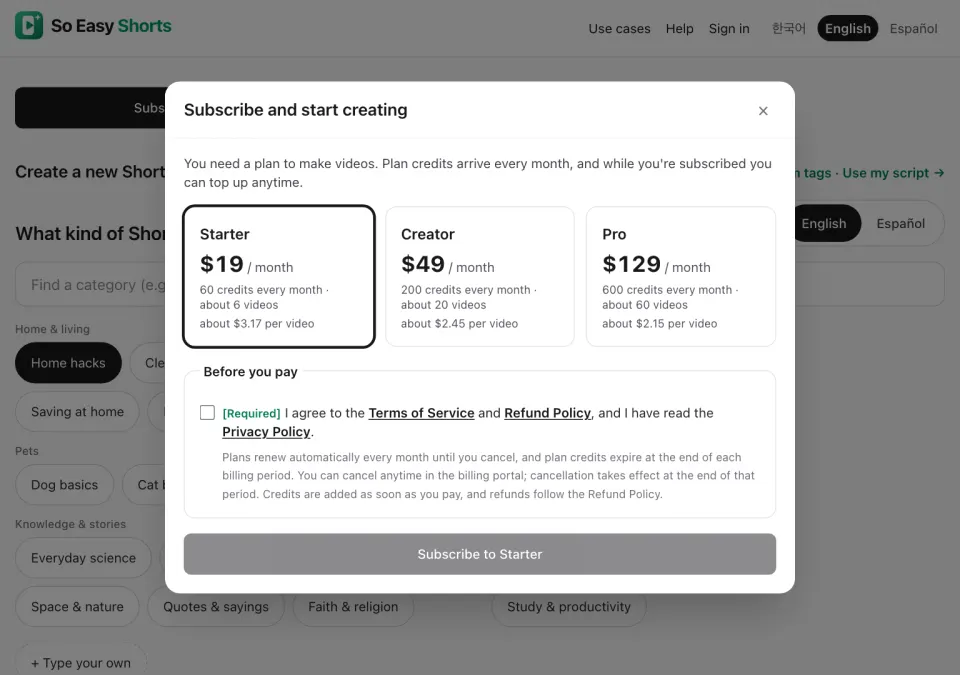
Choose a plan
Monthly plans: Starter ($19 a month, 60 credits), Creator ($49 a month, 200 credits) and Pro ($129 a month, 600 credits). Payments are processed by Stripe.
Upgrading gives you the prorated extra credits right away; downgrading takes effect at the end of the current period.
Step 3
Top up
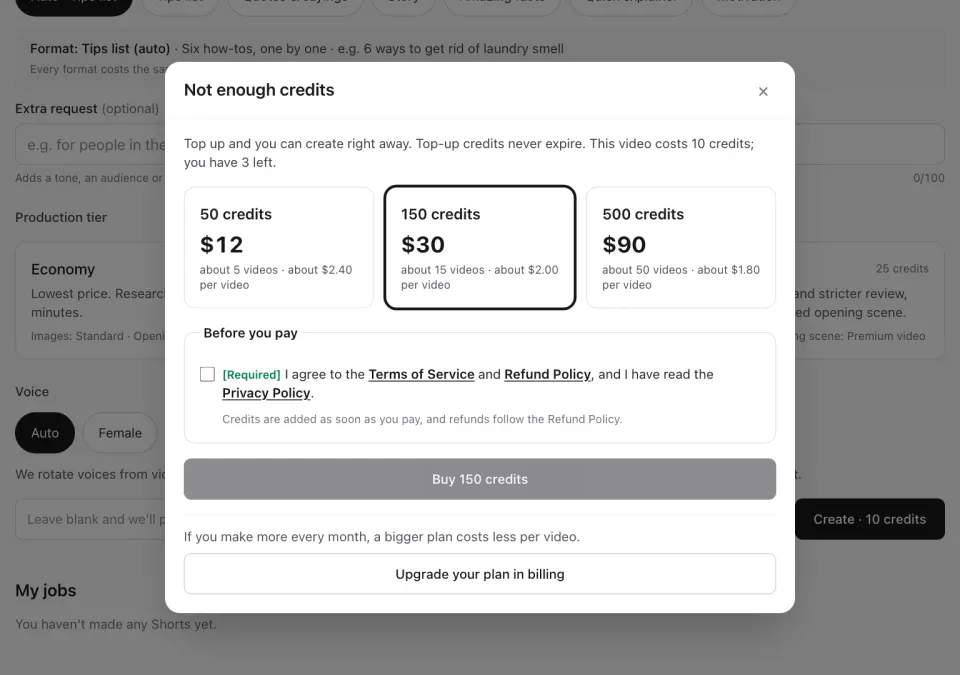
Top-ups are available while you have a plan, in packs of 50, 150 and 500 credits. Top-up credits stay even after your plan ends.
If you run short when creating, the "Not enough credits" window lets you top up right there.
Step 4
Redeem a voucher code
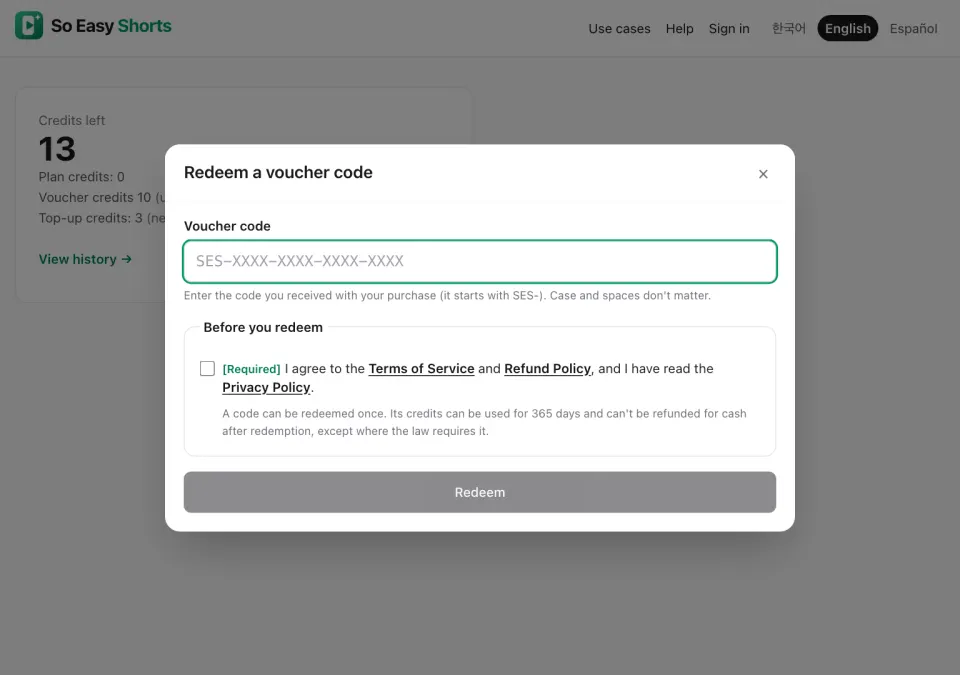
Have a voucher code starting with SES-? Press "Redeem code" on the dashboard credits card or the credit history page. Case and spaces do not matter.
Accept the required terms and press "Redeem" to see "+N credits (voucher, until date)". You can create right away without a plan. Each code works once, and redeemed credits cannot be refunded for cash except where the law requires it.
Step 5
Check your credit history
"View history" on the dashboard lists grants, use, refunds and expiries by date, with the kind of credit (free, plan, voucher or top-up) for each line.
Step 6
Refunds and canceling
Credits for videos we could not make come back automatically. For payment refunds, see the Refund Policy.
Cancel your plan anytime in "Manage billing". It takes effect at the end of the current period, and you keep your plan credits until then.
Your next Short is one topic line away
No installs, no API keys: get an MP4 that has already been reviewed.
Verify your email and get 1 free video every month (Economy quality, with a watermark). After that, videos use credits.
New here? Start with the help center