Formats and extra requests
6 min read
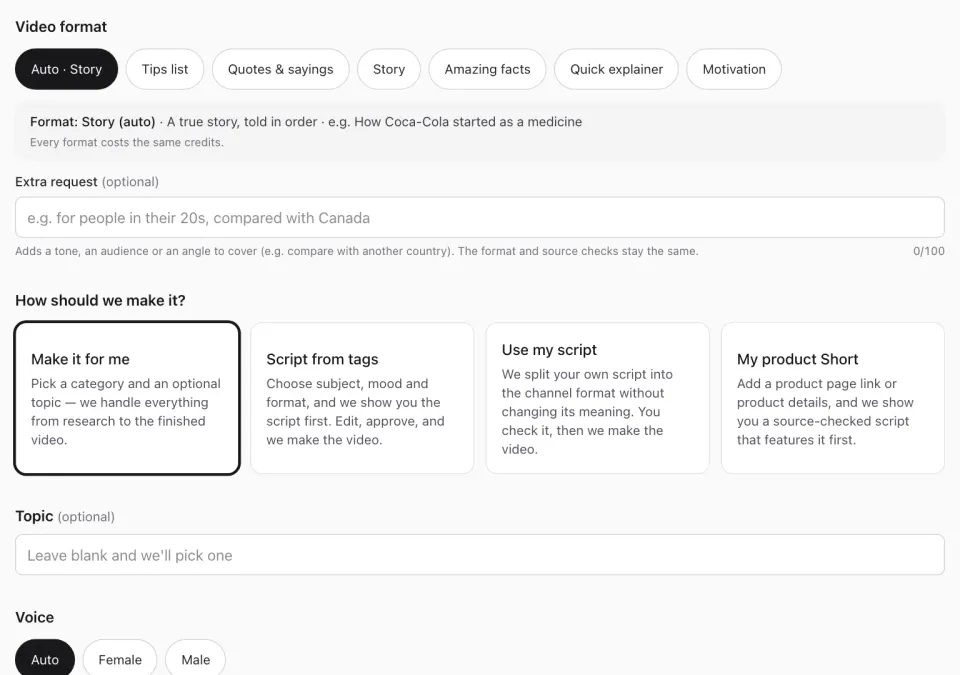
You choose the topic (what) and the format (the shape) separately. Every format costs the same, so feel free to switch.
Step 1
Know the six formats
Tips list (several how-tos), Quotes & sayings (every quote checked against who said it), Story (history, brands, reported true stories), Amazing facts (science, space, animals), Quick explainer (concepts, how things work) and Motivation (exercise, study, habits).
Motivation never promises health, money or results, and quotes we cannot verify are dropped.
Step 2
Leave it on Auto
The first chip, Auto, picks the format that fits your topic and shows it right on the chip (for example "Auto · Story"). Presets have a set format; for a niche you type, we look at its words.
Before you choose a topic it reads "Auto · picked while making", and we choose when the video is made.
Step 3
See a format suggestion
If the format you picked fits the topic less well, a line suggests a better one with "Switch to this format". You can still make it in the format you chose.
Step 4
Write a one-line extra request
Use "Extra request" (100 characters) for tone and audience ("for college students") or what to cover ("compare with the UK"). Formats and source rules stay the same.
If we cannot find sources for part of the request, we leave that part out and say so at the top of the making-of notes.
Step 5
See and edit the script first
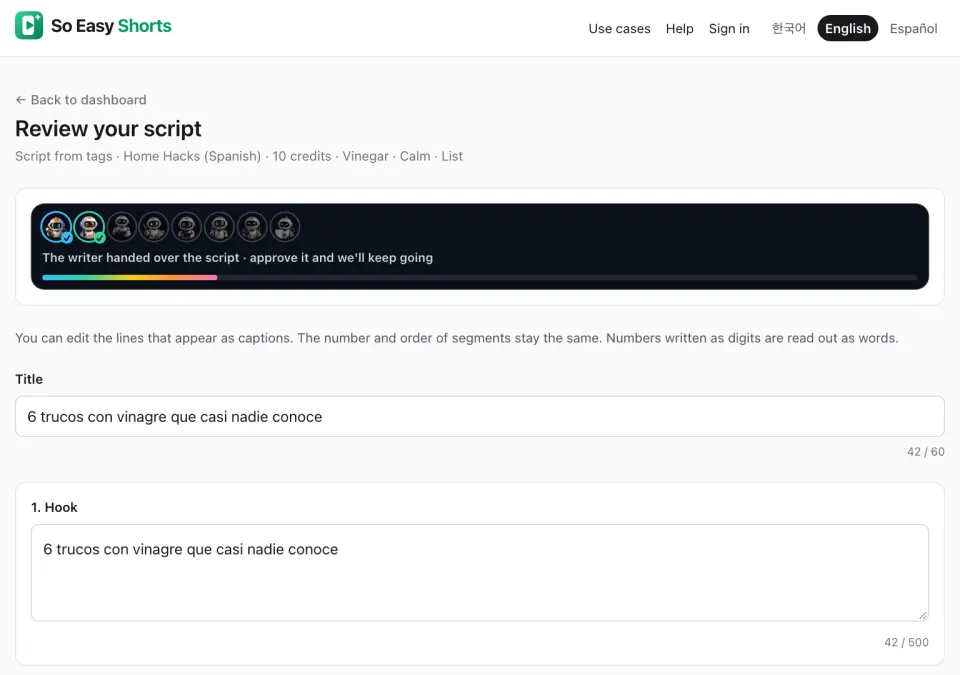
Under "More options", choose "Script from tags" to pick subject, mood and structure tags and get the script first. Edit the caption lines and title, then press "Make the video".
Not happy? Use "Suggest another" (up to two times). If you quit, we keep a 2-credit script fee and return the rest. Scripts left unreviewed for 7 days are settled the same way.
Good to know
- "Use my script" splits your own script (30–4000 characters) into the channel format without changing its meaning.
Your next Short is one topic line away
No installs, no API keys: get an MP4 that has already been reviewed.
Verify your email and get 1 free video every month (Economy quality, with a watermark). After that, videos use credits.
New here? Start with the help center